Back

Back

Onboarding process

Onboarding process

Final Proyect Up Grade Hub

March 23th

About

About

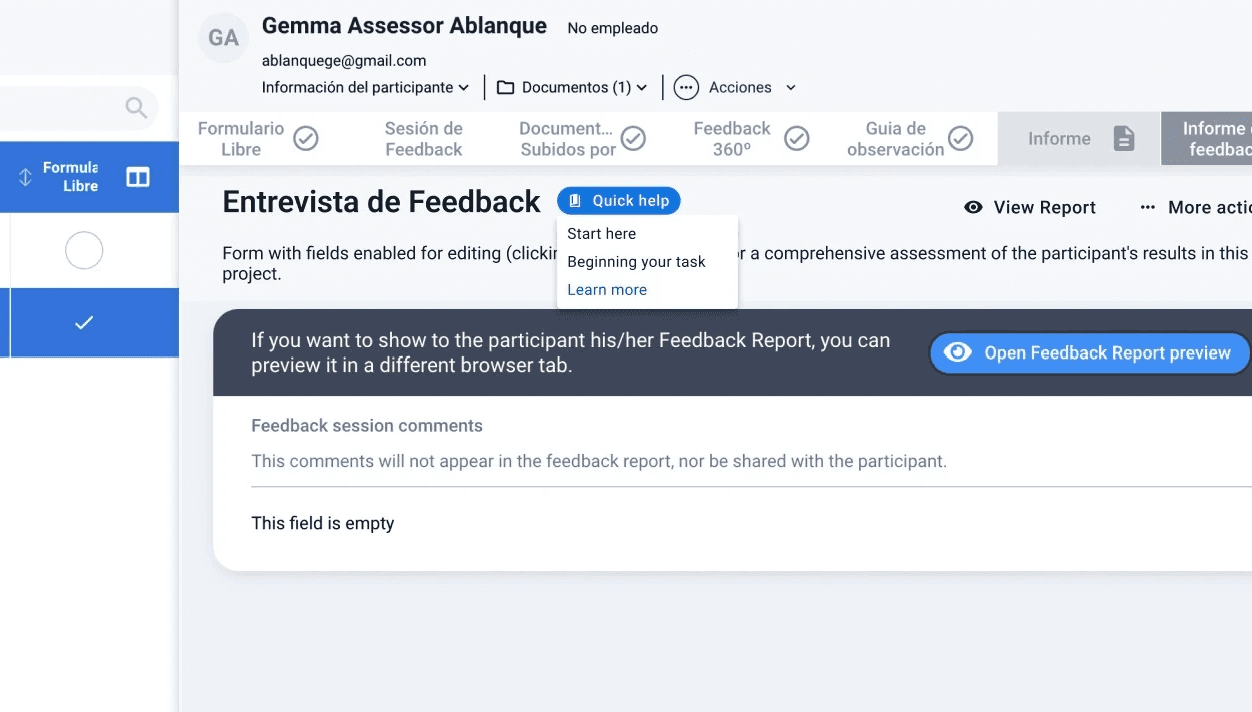
I worked on improving the onboarding experience for new assessors on the platform by focusing on clarity and guidance. After researching the key screens they needed to navigate to complete tasks, I designed a contextual help button to guide them whenever they felt lost.

Goals

Goals

To create a more complete and seamless experience, I designed:

  • A quick onboarding flow to help assessors understand the screen they’re on.

  • A help carousel showing the steps required in each section.

  • Contextual help screens for additional support whenever needed.

This approach ensured that new assessors could quickly feel confident navigating the platform without unnecessary friction.

Creation process

Creation process

New help button

New help button

New help button

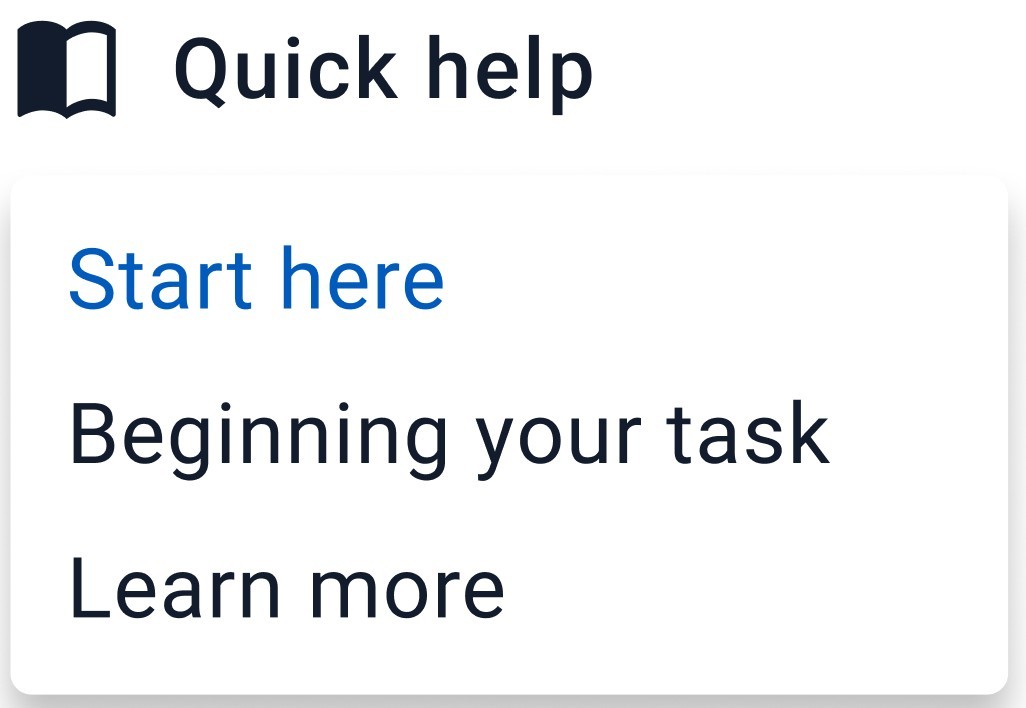
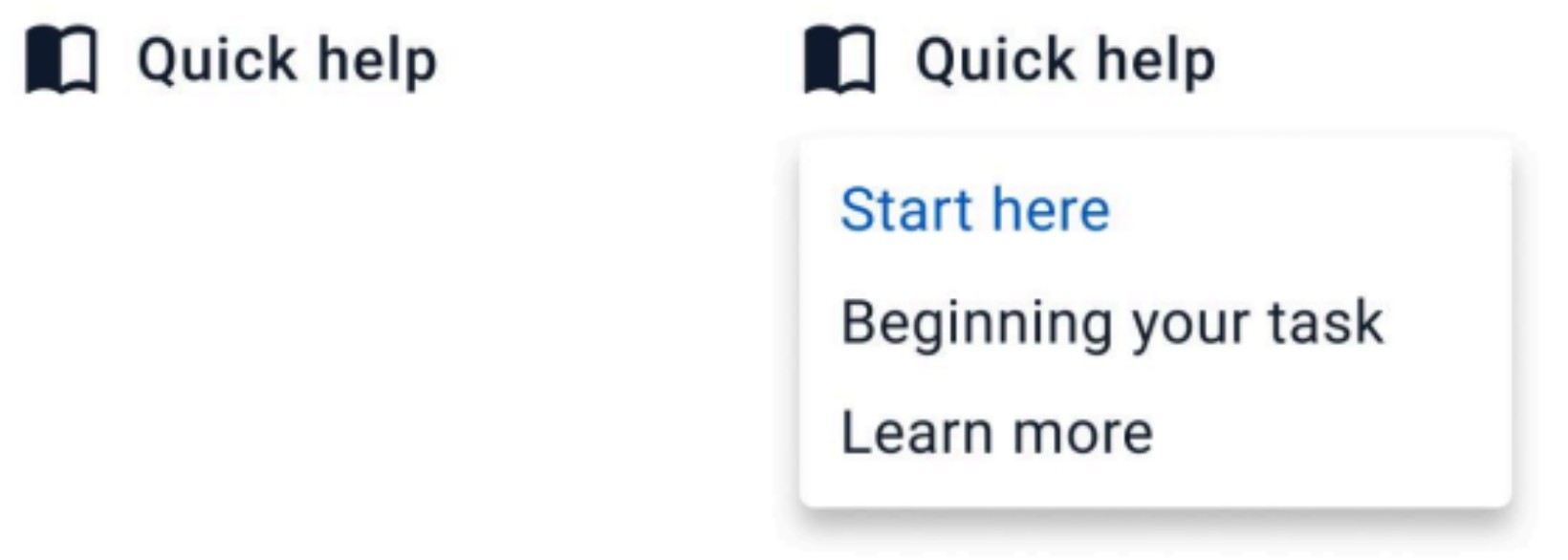
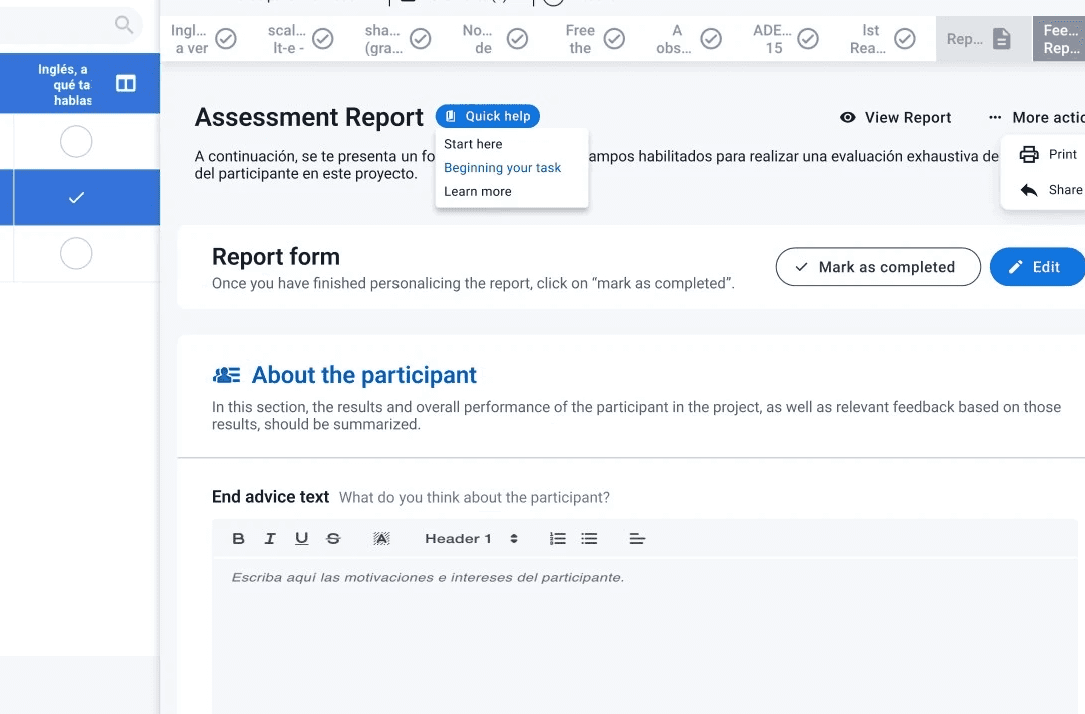
It will be a dropdown button where the assessor can select from the previously explained options.

It will be a dropdown button where the assessor can select from the previously explained options.

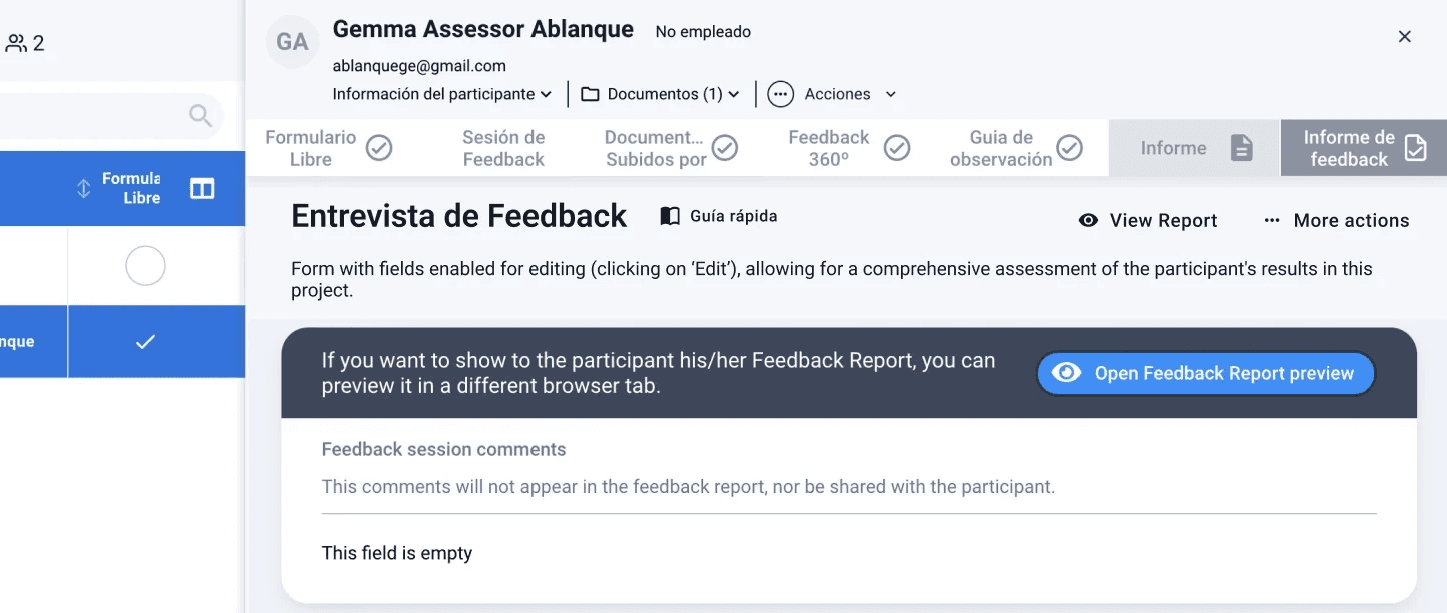
Screens where button must appear:

Screens where button must appear:

Screens where button must appear:

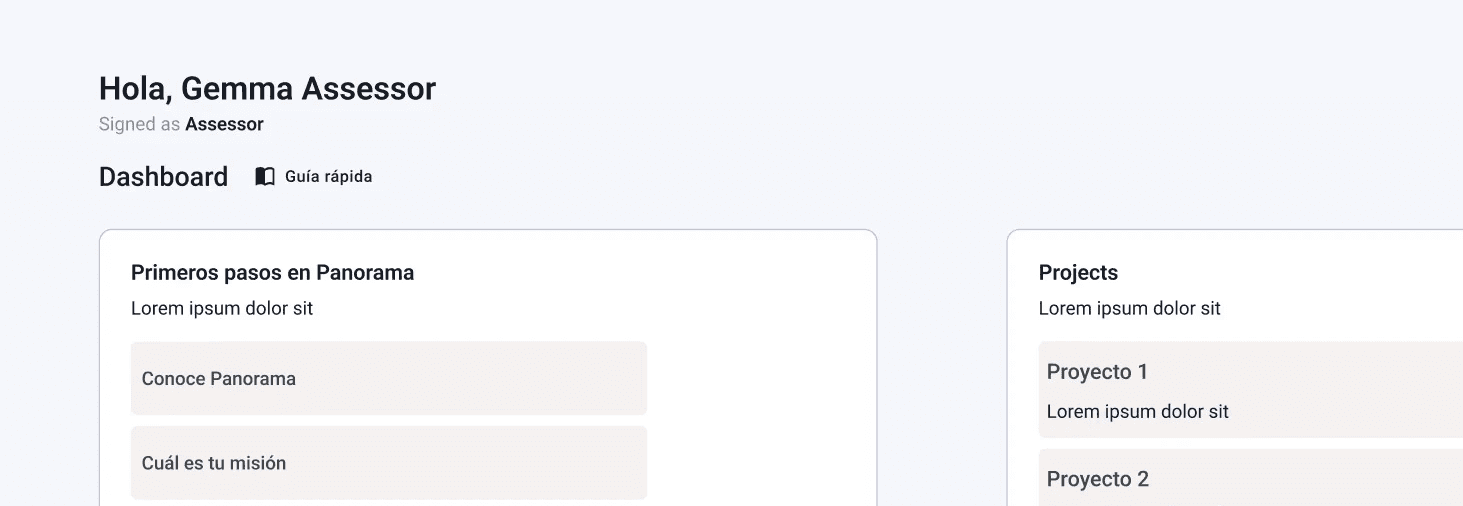
Dashboard

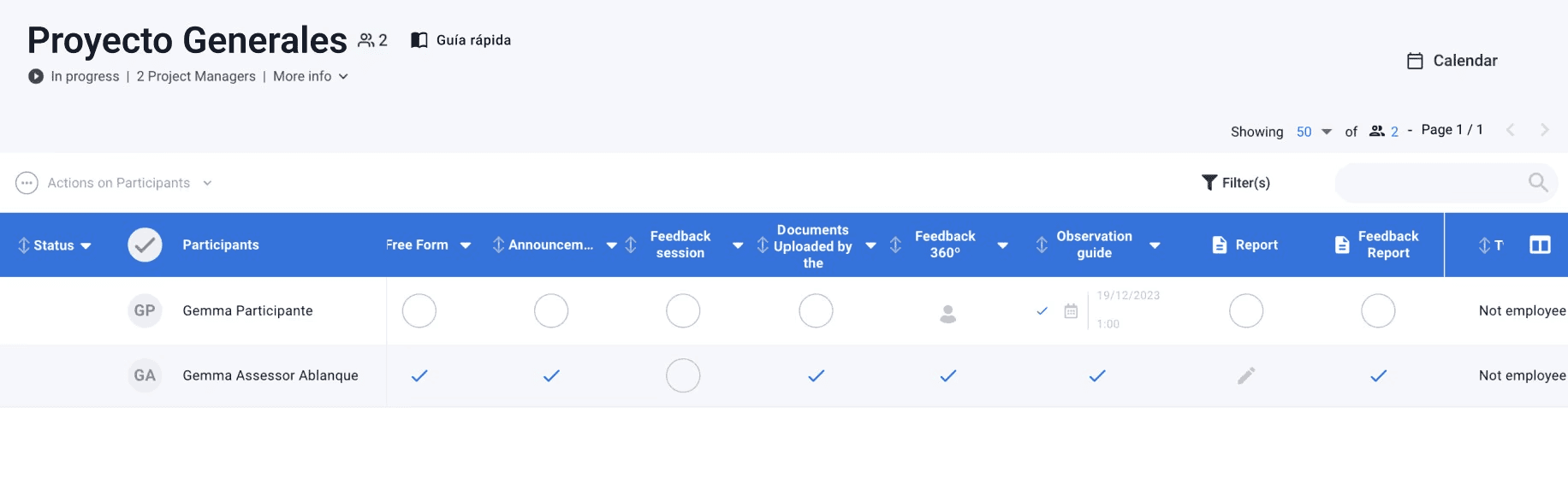
Project Table

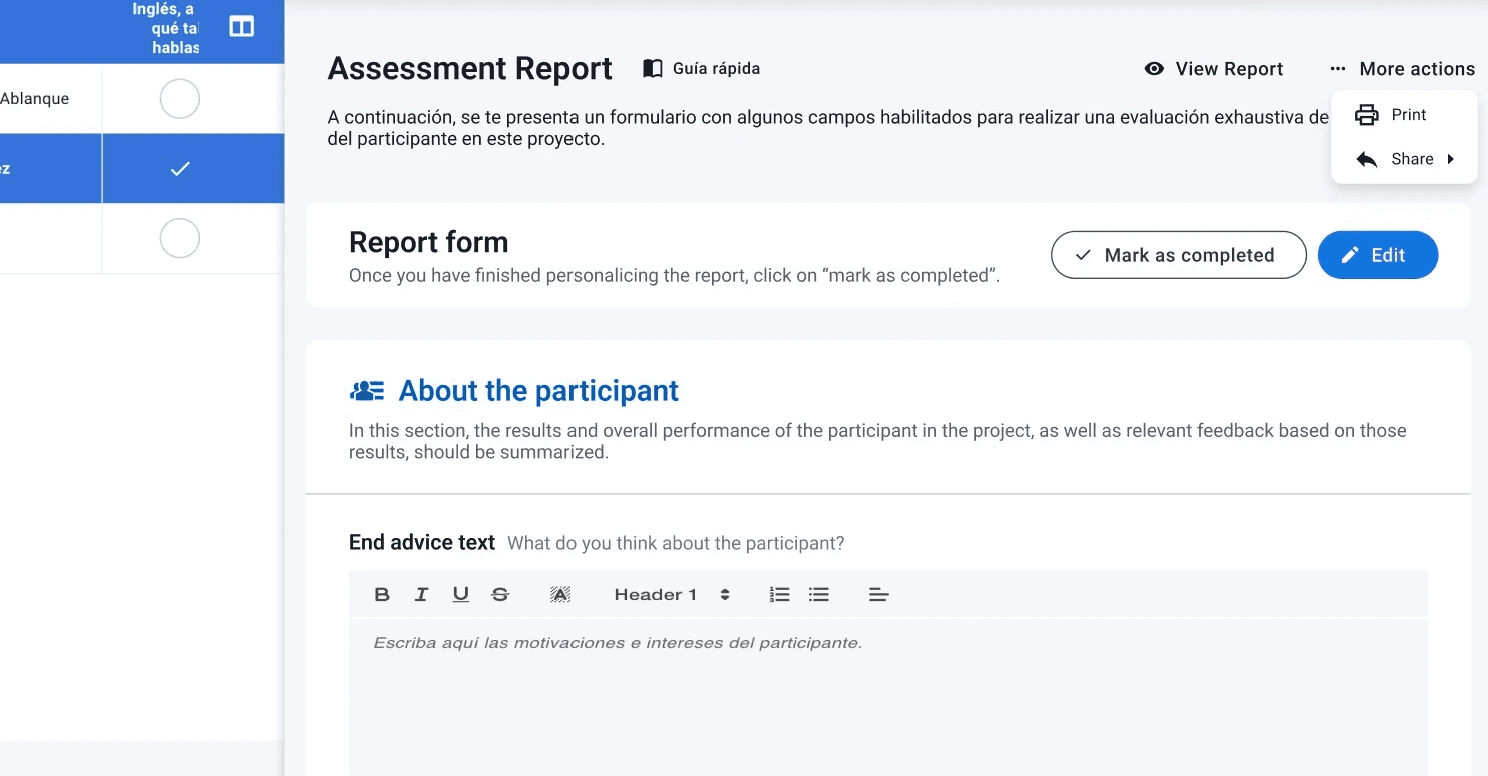
Report

Feedback Report
Each option of the dropdown button

Each option of the dropdown button

Each option of the dropdown button

It will be a dropdown button where the assessor can select from the previously explained options.

It will be a dropdown button where the assessor can select from the previously explained options.

Beginning your task: Help carousel in report section as example of how complete a n assessor task
Start here

Start here

Start here

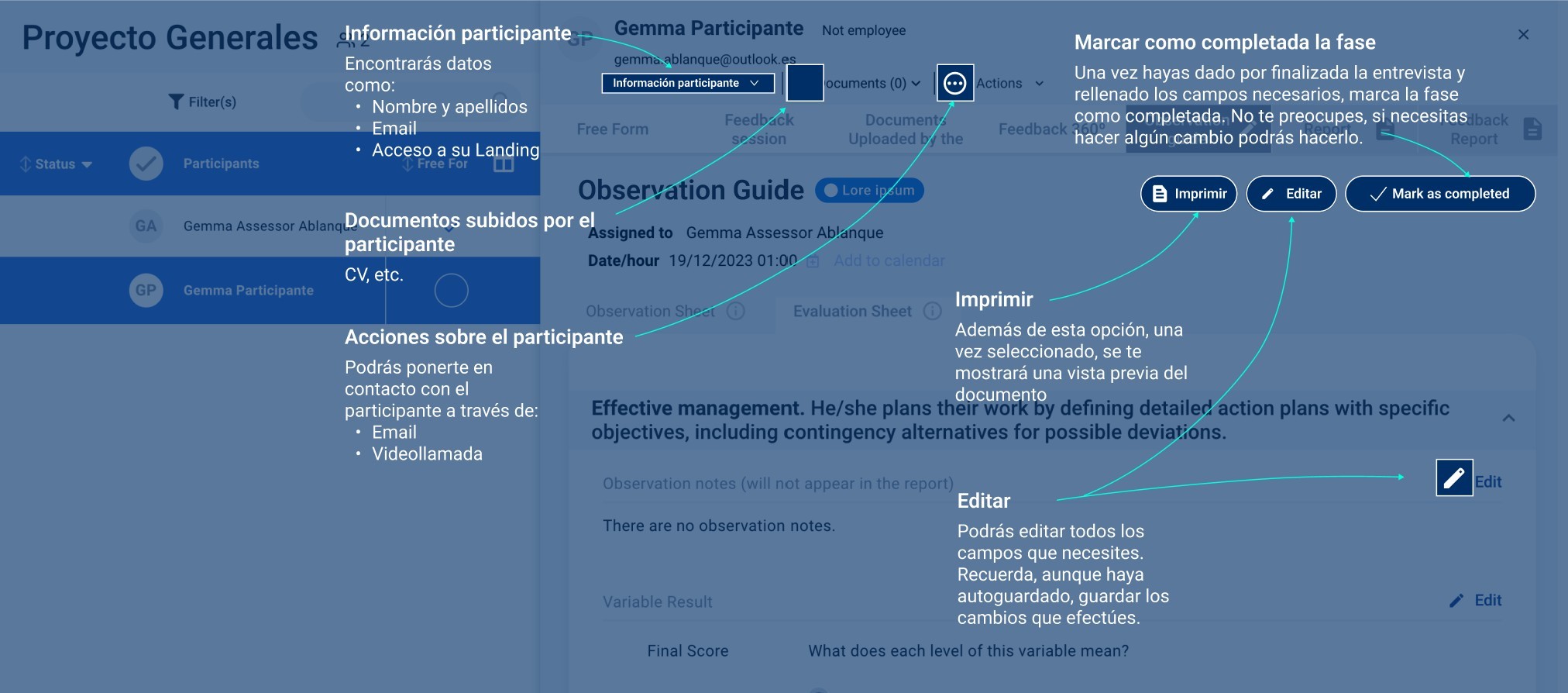
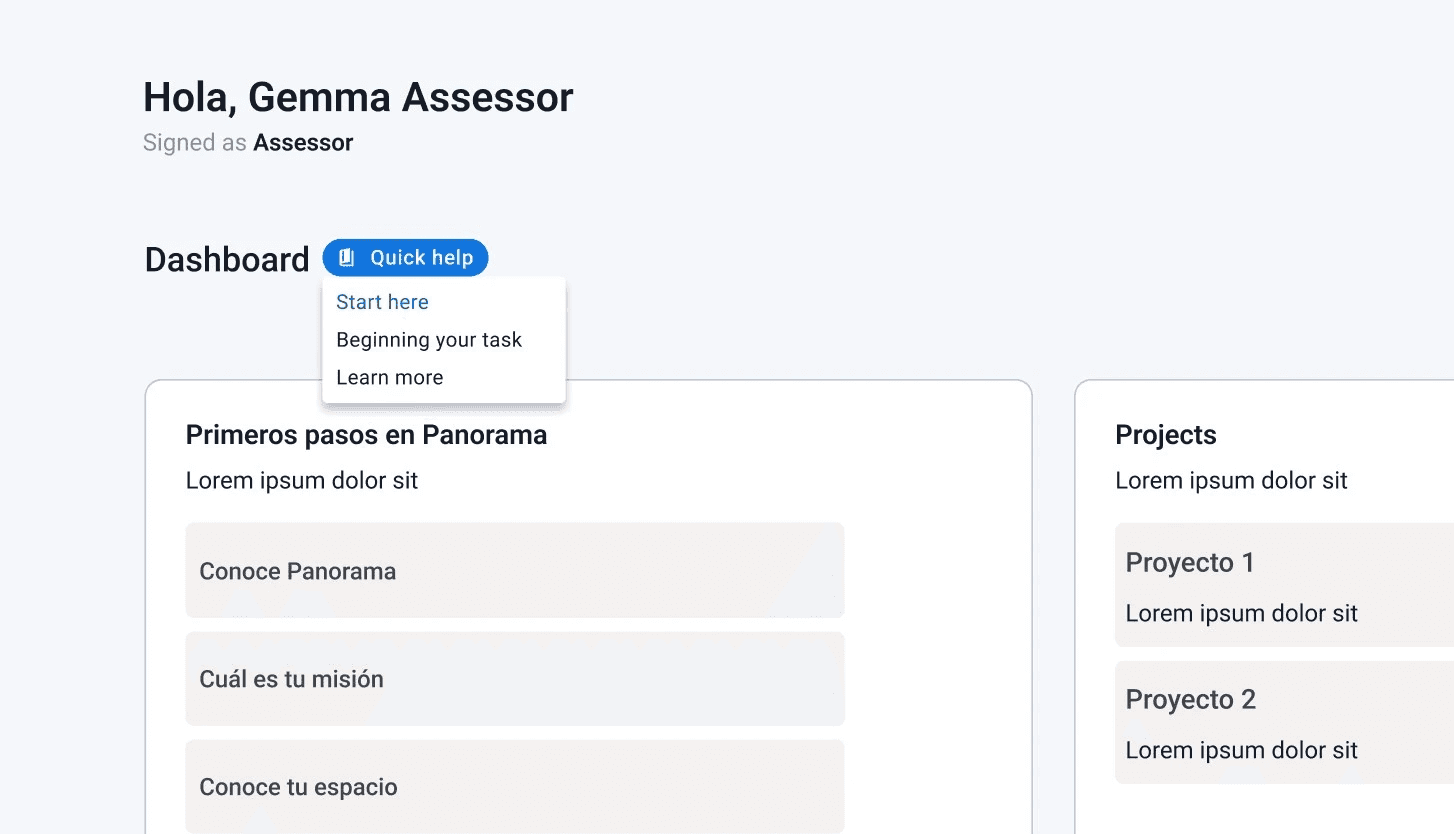
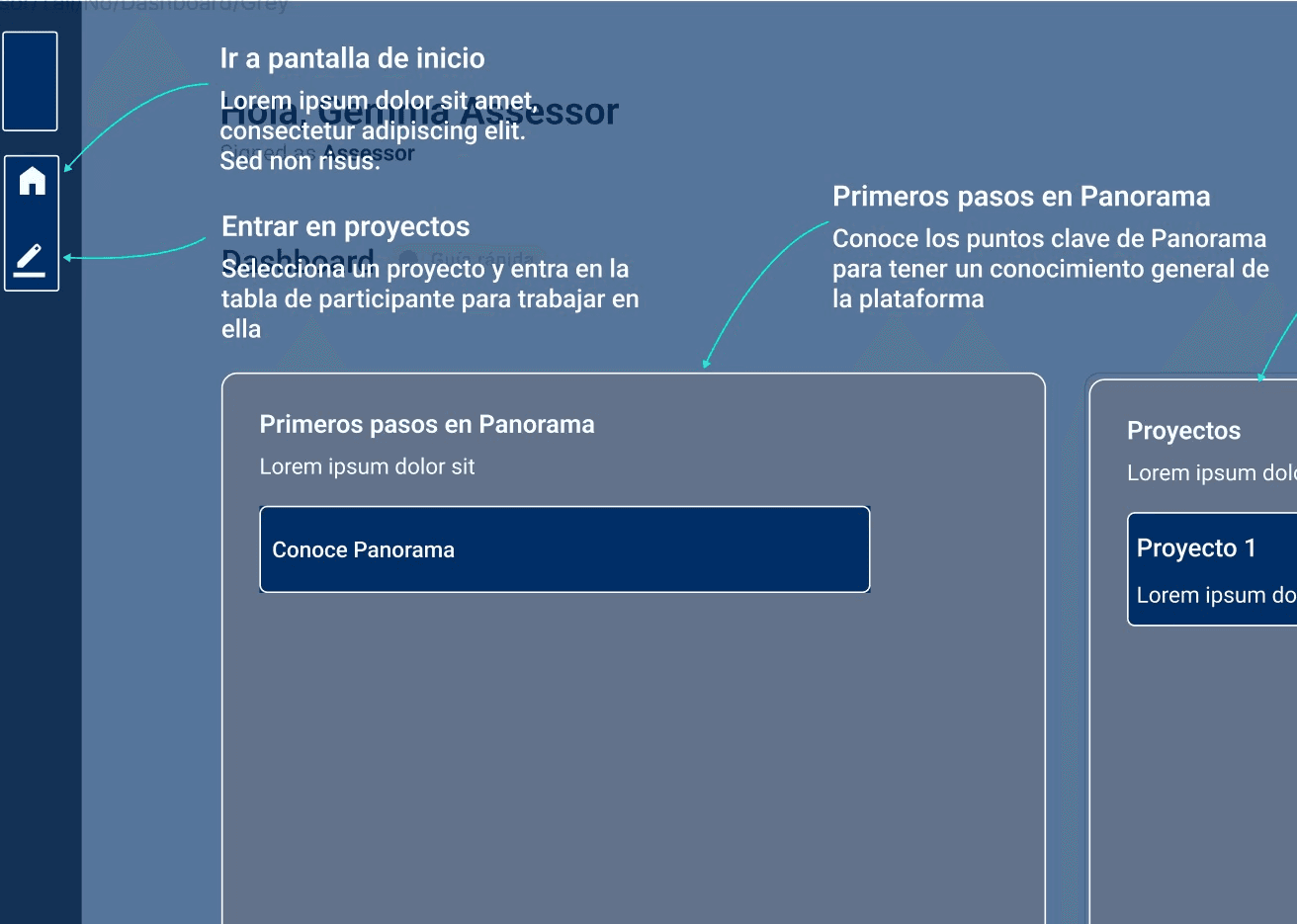
In this example from the Dashboard section, a quick and visual onboarding highlights the main elements on the screen, helping the assessor easily understand what is available and orient themselves within the interface.

In this example from the Dashboard section, a quick and visual onboarding highlights the main elements on the screen, helping the assessor easily understand what is available and orient themselves within the interface.

Beginning your task: Help carousel in report section as example of how complete a n assessor task
Beginning your task

Beginning your task

Beginning your task

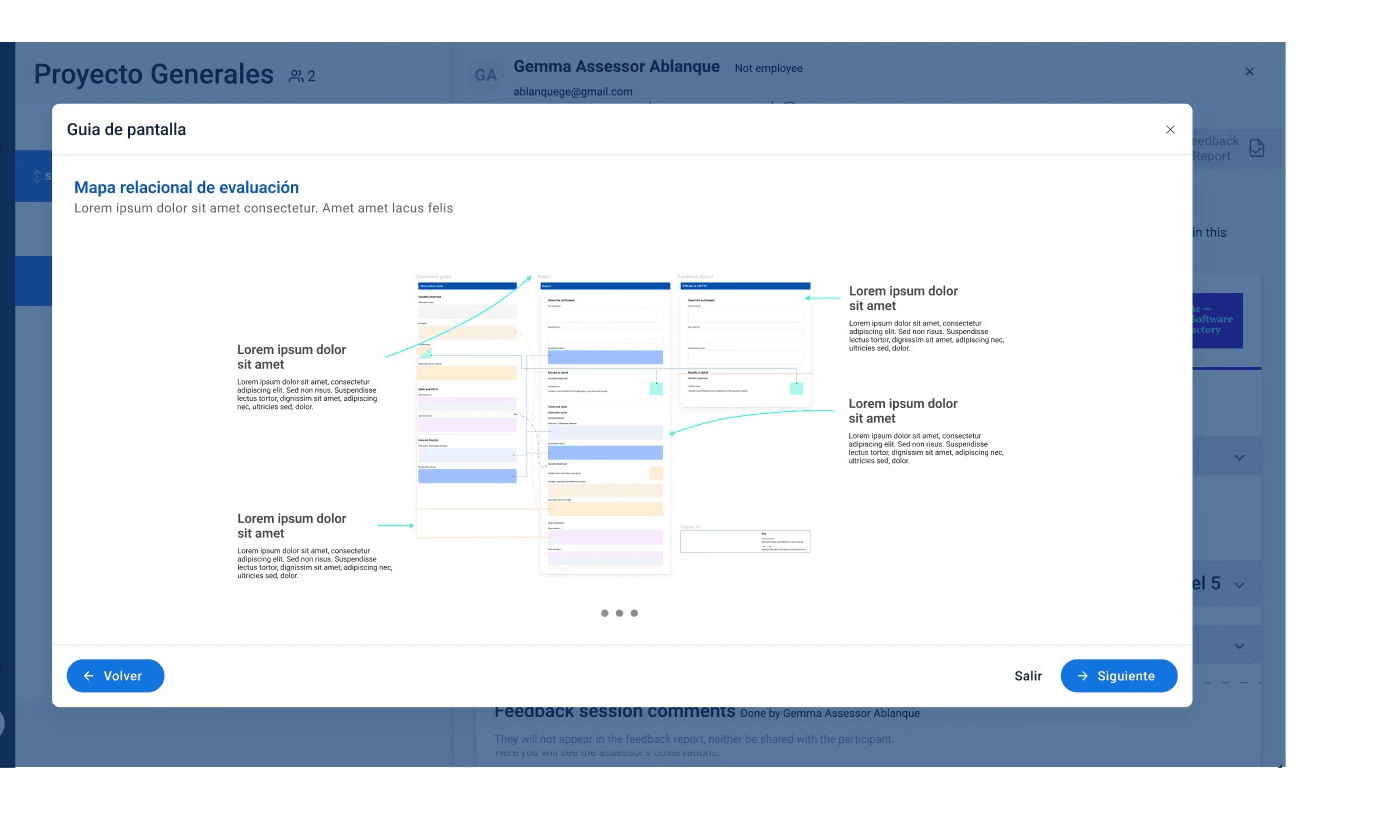
This example from the Report section shows the help carousel, which provides step-by-step guidance to the assessor for completing the task relevant to that section.

This example from the Report section shows the help carousel, which provides step-by-step guidance to the assessor for completing the task relevant to that section.

Beginning your task: Help carousel in report section as example of how complete a n assessor task
Learn more

Learn more

Learn more

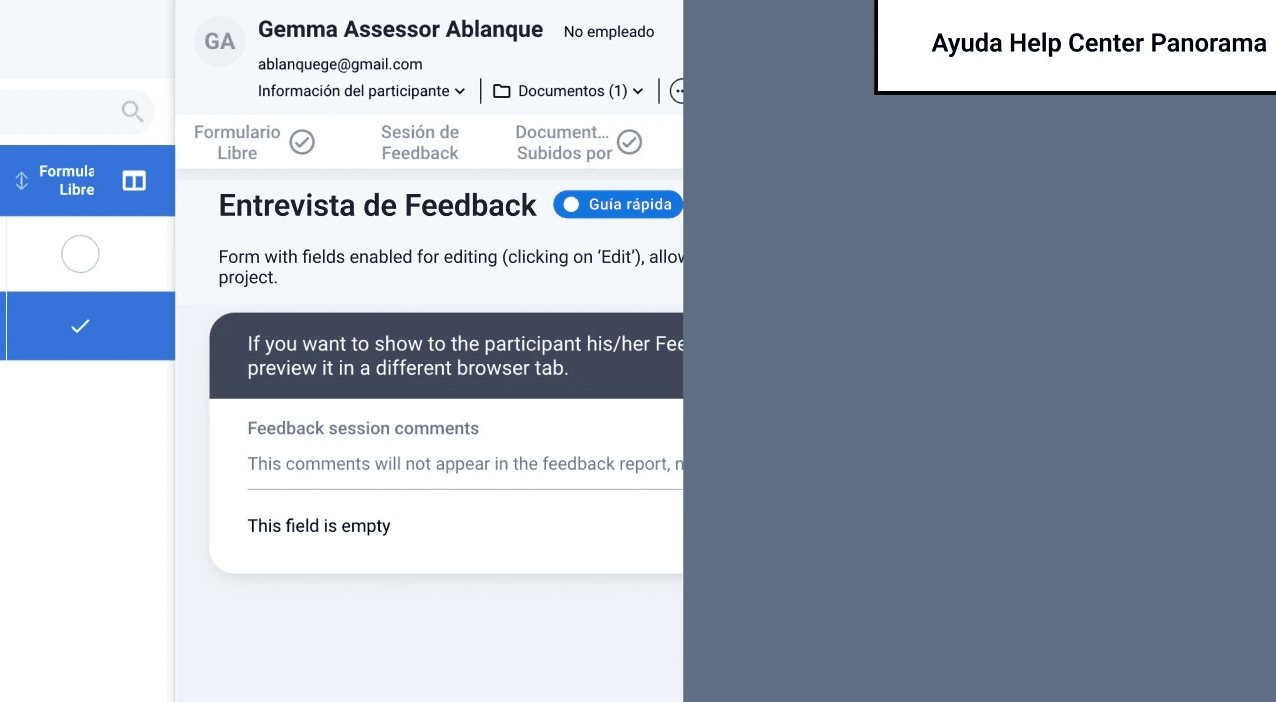
In this example from the Feedback Report section, general information is displayed within the current screen. This information is not exclusive to the section the assessor is in but is readily available as additional context or reference whenever needed.

In this example from the Feedback Report section, general information is displayed within the current screen. This information is not exclusive to the section the assessor is in but is readily available as additional context or reference whenever needed.

Conclusions

Conclusions

A contextual help dropdown button offers a simple and scalable way to guide assessors through the platform. It can provide quick visual onboarding to orient them within each screen, general information accessible at any time, and step‑by‑step guidance for completing tasks. This reduces the learning curve for new users while serving as a quick reference for experienced ones without interrupting their workflow.


The same approach can easily extend to other user roles, showing tailored help content while keeping a consistent experience. Centralizing the help system allows for easier updates, translations, and future scalability. It also enables tracking usage to identify where users need more support.

Figma

Figma

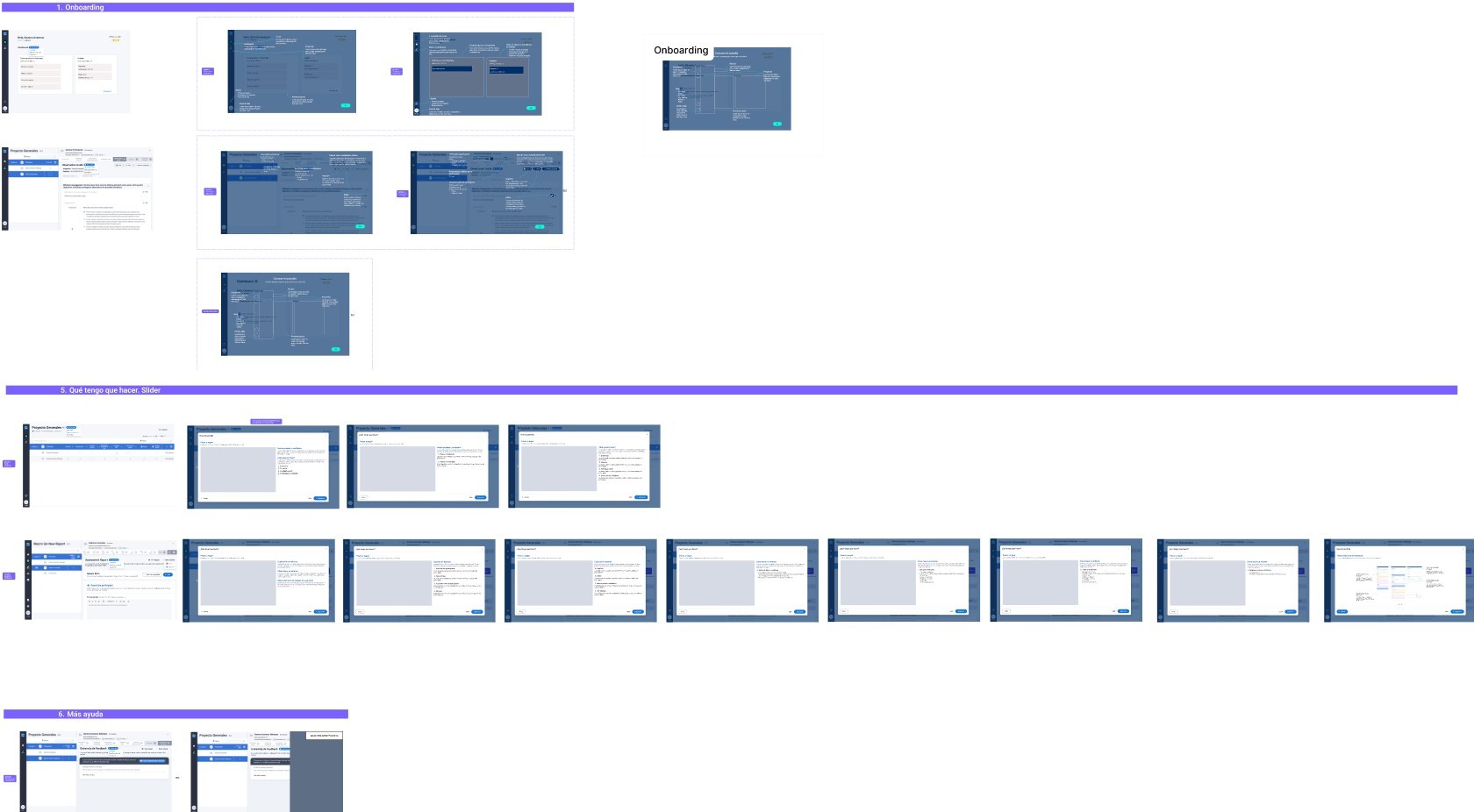
Click on the image to explore more about the design.
Create a free website with Framer, the website builder loved by startups, designers and agencies.